# CSSの基本
## CSSの記述方法
次に作成した`index.html`にcssを適応します。
`part1`ディレクトリ内に、`styles.css`のファイルを作成します。
作成したら、以下を記述しましょう。
img {
  width: 100px;
  border-radius: 10px;
}
CSSは、まず適応したいタグを記述します。上記ではi**mgタグ**を指定しています。タグを指定後、`{}`(カーリーブラケット)で括ります。
その中に、変更したい**プロパティ**(文字の大きさ、色、上下左右のスペースなど)と**値**を記述していきます。
上記の場合は、`width`とい**プロパティ**に`100px`という**値**をセットしています。
これにより、画像の横幅を100pxにすることができます。
`border-radius`は要素の角を値の分だけ、丸くすることができます。
作成したcssファイルを、htmlファイルに適応するためには、`index.html`ファイルのheadタグに、linkタグを追加します。
<!DOCTYPE html>
<html>
    <head>
        <title>初めてのHTML</title>
        <link rel="stylesheet" href="styles.css" />
    </head>
    <body>
        <img src="images/sample.jpg" alt="東茶屋街の街並みの画像" />
        <p>東茶屋街の街並みです!</p>
        <p>とても綺麗でした!</p>
    </body>
</html>
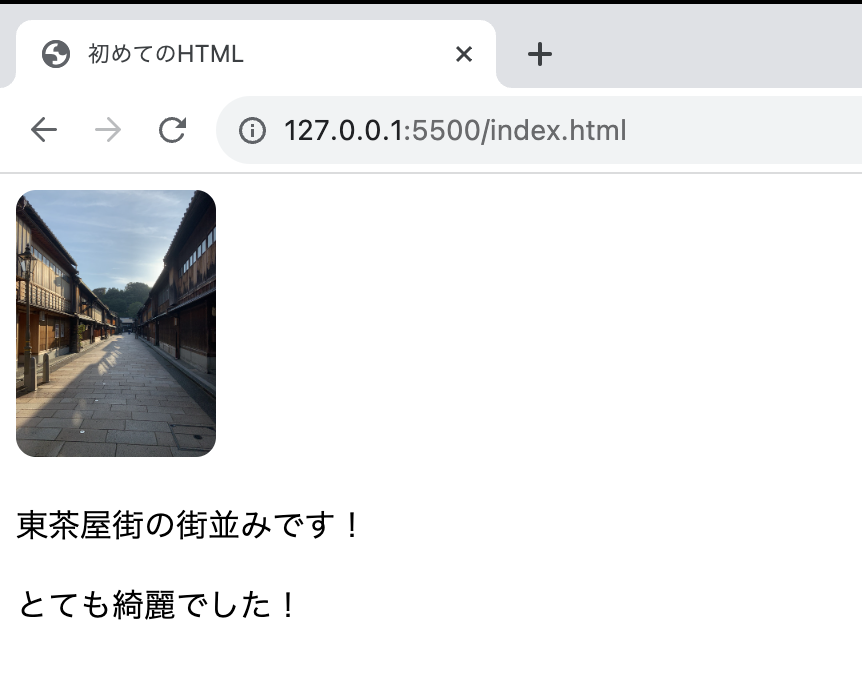
上記により、以下のように画像のレイアウトが変更されたことが確認できるかと思います。
 次に、「東茶屋街の街並みです!」の文字を太くしましょう。
ただ、下記のような記載の場合、「とても綺麗でした!」の文字も太くなってしまいます。
次に、「東茶屋街の街並みです!」の文字を太くしましょう。
ただ、下記のような記載の場合、「とても綺麗でした!」の文字も太くなってしまいます。
img {
  width: 100px;
  border-radius: 10px;
}

p {
  font-weight: bold;
}
特定のタグにcssを適応したい場合、そのタグに**class属性**を付与します。
**class属性**の値は、英数字であれば自由に定義できます。
...
    <body>
        <img src="images/sample.jpg" alt="東茶屋街の街並みの画像" />
        <p class="place">東茶屋街の街並みです!</p>
        <p>とても綺麗でした!</p>
    </body>
...
そしてcssファイルの方でclassを指定する場合は、先頭に`.`(ドット)を先頭に付けて指定します。
これで「東茶屋街の街並みです!」の文字列のみ太文字にすることができます。
img {
  width: 100px;
  border-radius: 10px;
}

.place {
  font-weight: bold;
}